
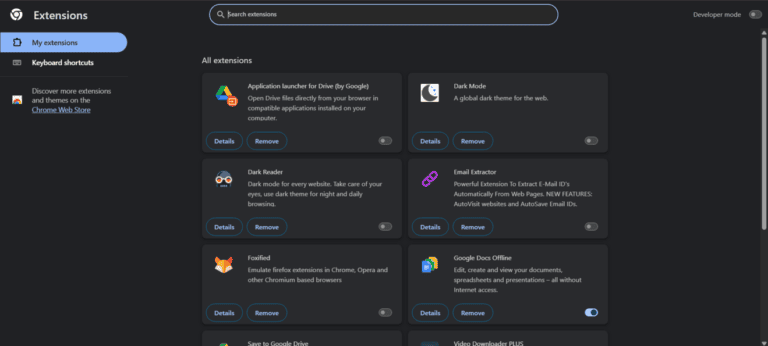
Using different types of extensions in the browser for technology based work needs is my long time practice. Writing assistant translator text summarizer or note taking app altogether my Google Chrome browser had turned into a mini shop of extensions. However the big disadvantage of keeping extra extensions added to the browser is that these use background memory or RAM excessively and make the PC slow or sluggish.
To get relief from this problem basically a new idea came to my mind. Since we are using artificial intelligence or ChatGPT for various daily needs then how will it be if we completely remove 10 popular extensions used in the browser and do all those works using ChatGPT?
From this thought I conducted a live experiment for two continuous weeks. Removing 10 important extensions from the browser I tried to use ChatGPT as their alternative. In today’s article I will present the real results and experience of that experiment before you in the form of a case study. You will get to know in detail in which tasks ChatGPT was one hundred percent successful and in which cases it has some limitations.
Objectives of the Experiment
There were two main reasons behind doing this case study browser performance and tools overload control.
1. Increasing Device Performance: If 10 to 12 Chrome extensions remain active together in a medium configuration computer the browser lags extensively. After deleting these verifying how much the browser speed increases was one of my main objectives.
2. Centralized Workflow: The hassle of using separate extensions for different works and avoiding their premium subscription fees is quite complex. If all works can be brought into one platform through just one ChatGPT account then it increases work speed and comfort many times over.
10 Extensions vs ChatGPT: My Real Experience
Let us now see one by one which 10 extensions I tried to replace with ChatGPT and what the result actually turned out to be at the end of the day:
1. Grammarly
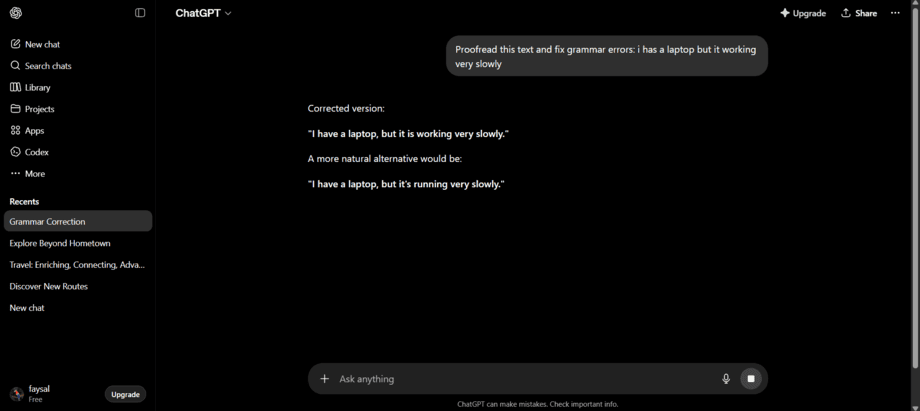
- What the extension did: Whenever I wrote any email Facebook post or blog article in the browser it used to correct my spelling and grammatical errors immediately in real time.
- How ChatGPT replaced it: I just used to copy paste my entire text into ChatGPT and give the command: “Proofread this and fix grammar errors.”
- My observation (Result): To tell the truth I could not completely say goodbye to Grammarly in this case. ChatGPT is much more accurate in fixing grammar and it can make the tone or expression of writing very beautiful. But the facility of catching errors or auto suggestion in real time while typing directly in the browser that Grammarly extension gives copy pasting into ChatGPT tab every time is not that much convenient or comfortable.
2. LanguageTool
- Functionality: This was basically a multi language writing assistant which was used to verify grammatical correctness of other regional languages excluding English.
- Use of ChatGPT: Giving commands to ChatGPT to rewrite any complex text of Bangla English or mixed language in a professional way.
- Real result: ChatGPT is much more effective and successful here than LanguageTool. Although there were various limitations in the free version of this third party tool ChatGPT was able to convert any complex sentence into a highly lucid and human like tone.
3. ChatGPT Writer
- Functionality: This extension was used to create automatic email drafts or replies directly through a pop up window in the inbox of Gmail or Outlook.
- Use of ChatGPT: Copying the main email sent by the client and giving specific directions to ChatGPT such as “Write a professional reply to this email declining the offer politely” to create the answer.
- Real result: In this case ChatGPT has taken the place of the extension one hundred percent successfully. Basically that extension used to work using the API of ChatGPT. Working directly on the main platform now it is possible to generate much more detailed informative and customized email responses which was limited previously.
4. Compose AI
- What the extension did: Through AI it used to help to auto complete sentences or to expand any small paragraph on any writing platform.
- How ChatGPT replaced it: Writing half or some part of an article I used to tell ChatGPT: “Continue writing this paragraph in a professional blogging style.”
- My observation (Result): This is completely successful! ChatGPT understands the main theme or context of content very perfectly. As a result the expanded sentences and information of ChatGPT felt much more natural and professional than Compose AI.
5. Monica – Your AI Assistant
- What the extension did: This used to stay as a sidebar on the right side of the browser through which chatting translating or selecting any text to understand its meaning in a blink was possible.
- How ChatGPT replaced it: Keeping ChatGPT open in a separate tab in the browser I worked using the split screen mode of Windows.
- My observation (Result): Although Monica extension is very excellent its free version has some specific limits every day. But using ChatGPT in a separate tab I could do unlimited work for free without any hassle of limits and during work time I did not feel the lack of the sidebar at all.
6. Summarize
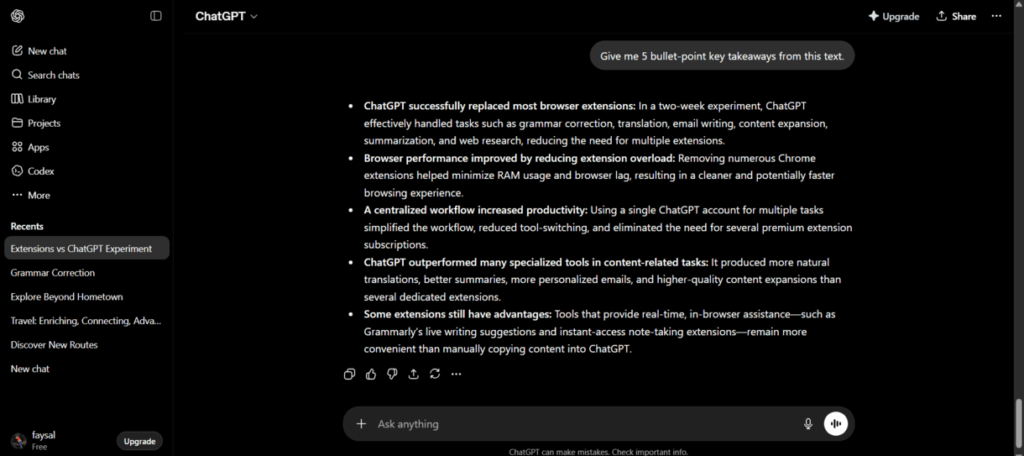
- What the extension did: Clicking just once on any big blog post news or large article it used to create a short summary of that in one click.
- How ChatGPT replaced it: Copying the link or the entire text of the article I used to tell ChatGPT: “Give me 5 bullet point key takeaways from this article.”
- My observation (Result): ChatGPT did a wonderful job here! Regular summarize extensions only lift some lines of the article exactly as they are but ChatGPT understands the main essence of the entire writing and explains it perfectly in bullet points in simple language which reduced my reading time to half in a single push.
7. WebChatGPT (Internet Browsing Tool):
- Functionality: Since the early versions of ChatGPT did not have real time data or live browsing facilities this extension was used to connect Google search results with the chatbox.
- Use of ChatGPT: Currently since modern models of ChatGPT such as GPT 4o or recent models have a built in internet search feature live information can be scraped directly without any extension.
- Real result: Completely successful. As a result of using the current updated ChatGPT this extension is now completely unnecessary and ineffective.
8. Email Assistant / Writer (Email Generator):
- Functionality: This tool used to supply readymade templates of cold emails and follow up emails for professional communication outreach content or clients.
- Use of ChatGPT: Giving ChatGPT a specific role play through prompts like “Act as a digital marketer and write a cold email pitch for a client” customized emails were created.
- Real result: This has been successfully replaced. Compared to predefined or stereotyped templates ChatGPT is much more creative and capable of drafting personalized emails according to the client’s profile.
9. Note Taking Extension (Instant Notepad):
- Functionality: This used to work as a pop up notepad to quickly record various important information links or ideas during internet browsing or research.
- Use of ChatGPT: Renaming a specific chat window of ChatGPT as “My Digital Notepad” all random ideas information and text of the whole day were input there.
- Real result: Partial success has come in this case. Ordinary note taking extensions can only store data. However the main advantage of keeping notes in ChatGPT is that at the end of the day a weekly planner or effective To Do List can be created within a moment with the help of prompts from the saved data. However in terms of quick access directly in one click this is slightly slower than a regular notepad.
10. Google Translate
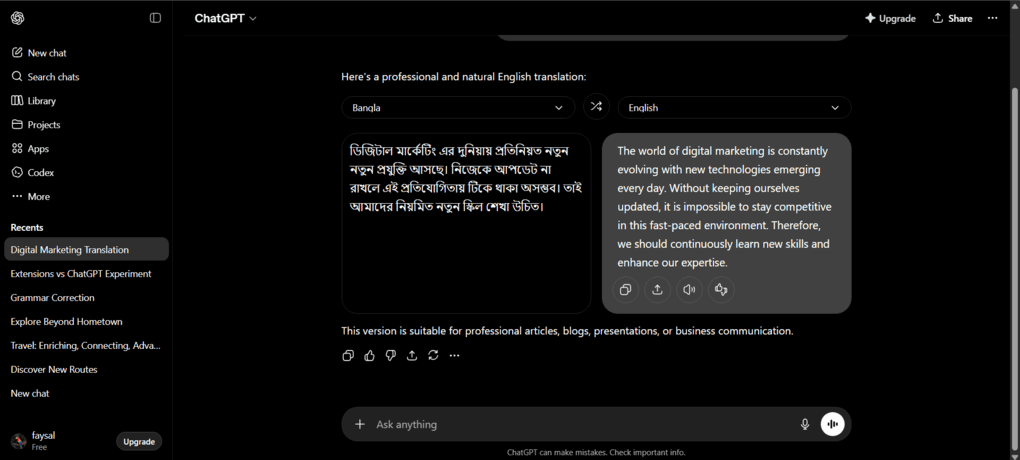
- What the extension did: This was used to translate and read any difficult paragraph or the entire page of any foreign website into one’s own language in one click.
- How ChatGPT replaced it: Copying text of any foreign language I used to tell ChatGPT: “Translate this into simple Bengali and explain any complex terms.”
- My observation (Result): This has been replaced 100 percent successfully. The translation of Google Translate is often very mechanical or literal which feels quite strange to read. But ChatGPT does not only translate rather keeping the main theme or context of the whole sentence correct it translates in a very fluent language just like humans.
Final Results of the Experiment (Results Comparison Table)
A short outline of my two week experiment is given below in a table format from which you can understand the whole matter at a single glance:
| Extension Name | Could ChatGPT Replace It? | Score (Out of 10) | My Final Comment |
| Grammarly | No (Partial) | 5/10 | Extension is best for real time checking |
| LanguageTool | Yes | 8/10 | Rewrite capability of ChatGPT is great |
| ChatGPT Writer | Yes | 10/10 | Using ChatGPT directly is better |
| Compose AI | Yes | 9/10 | ChatGPT content is much more natural |
| Monica AI | Yes | 8/10 | There is no hassle of daily limits |
| Summarize | Yes | 10/10 | Gives excellent summary in bulleted points |
| WebChatGPT | Yes | 10/10 | ChatGPT now has built in search |
| Email Assistant | Yes | 9/10 | Great personalized emails can be written |
| Note Taking | Yes (Partial) | 7/10 | Best for processing notes but not for quick notes |
| Translation | Yes (100%) | 10/10 | Can do fluent translation just like humans |
ChatGPT vs Browser Extensions: A Comparative Analysis of Pros and Cons In light of this case study the positive and negative sides of using ChatGPT as an alternative to extensions are highlighted below:
Advantages:
- System Optimization: As a result of removing 10 extensions from the browser the pressure of Chrome memory usage significantly decreases and the overall speed of the PC increases.
- Data Security and Privacy: Using a well established AI platform is much safer for information security than using various third party tools.
- Cost Effective Solution: It is possible to avoid the individual premium subscription fees of each tool which saves a large amount of money in the long run.
Limitations:
- Work Continuity: Instead of working directly inside the browser changing tabs repeatedly and copy pasting data can be somewhat time consuming.
- Lack of Live Editing: The facility of seeing spelling or grammatical errors directly on screen is not available here.
The Verdict: The main theme of my research is that modern ChatGPT is capable of completing the work of at least 80 percent of your browser extensions alone. For those who want to get maximum productivity while keeping the device speed intact using ChatGPT by rejecting unnecessary email writers summarizers or translation tools will be the right decision. However for a seamless writing experience real time tools like Grammarly can be kept along.
Will you adopt this method to make your browsing experience even smoother? Let us know your opinion in the comments. To read all modern solutions and professional case studies of the technology world regularly keep an eye on Texlabai.com blog.
Frequently Asked Questions (FAQ)
1. Does using ChatGPT not make the browser slow? Answer: Not at all. ChatGPT basically works as a regular website or web application. It does not stay occupied with the RAM or processor of the PC in the background all the time like Chrome extensions so there is no chance of the browser becoming slow by using ChatGPT.
2. Is it possible to do the work of all these extensions with the free version of ChatGPT? Answer: Yes of course it is possible. All these works can be done very effortlessly with the free version of ChatGPT such as GPT 4o mini or other free models. However if you use the plus or paid version then you will get a bit more work speed and accuracy that is all.
3. Can ChatGPT be a good alternative to Grammarly? Answer: If you give a large article or email to ChatGPT for review after writing it then it will be able to fix the tone of your writing much more perfectly than Grammarly. However when you are typing in the browser for the benefit of on screen instant error correction at that very moment Grammarly extension is more comfortable.

Faysal Ahmed is the founder of TexLab AI and regularly writes about AI tools, technology, freelancing, and digital productivity. He has hands-on experience testing AI applications and reviewing online tools.