
In today’s digital world Cyber Security is essential to save your Facebook and Gmail account from hackers. In this modern age a huge part of our lives is spent on online platforms. Especially Facebook and Gmail are no longer just for communication but our personal photos and banking details or official work secrets depend on these accounts. But the way hackers are becoming active every day your small mistake could lead to a big problem. In today’s blog we will talk about how you can keep your Facebook and Gmail accounts safe from hackers. Let us get straight into the main topic.
1. Importance of a Strong Password
Many of us create accounts with very simple passwords like our own name or mobile number or even date of birth just to remember them easily. This is exactly where we make the biggest mistake. Because what is easy for you is also very easy for hackers to crack. Keep in mind that hackers always try these simple passwords first.
- Advice: When creating a password try to mix uppercase and lowercase letters and use numbers along with special characters like @ or # and $ to make a strong password so that hackers cannot break into your account in any way.
- Tips: It is a very smart move to use a password that is at least 13 to 16 characters long. Also try to change your passwords every 4 to 6 months if possible to keep your online life much safer.
2. Two-Factor Authentication
Two-step verification or 2FA is your strongest tool in the digital age to protect yourself from hackers. Nowadays it is just not possible to ensure security with only a password. How can you set it up?
- Facebook: Go to Settings then Privacy and Security then choose Two-Factor Authentication.
- Gmail: Go to your Google Security Settings and then select 2-Step Verification.
- Pro-Tips: Using Authenticator Apps is much safer than using SMS OTP codes. This is because it can generate codes offline on your phone and it is almost impossible for hackers to intercept it.
3. Avoid Clicking on Suspicious Links
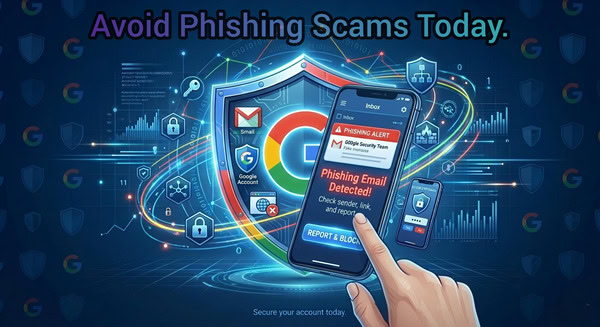
Many of us do not know how hackers try to trap us. They will often send you fake messages or emails that look exactly like Facebook or Google and this is called phishing. They might tell you that your account is about to be closed and ask you to click a link right away to fix the problem.
- Warning: Always check the address bar or URL of your browser very carefully before clicking any link. For example if you see a strange name like faacebook.com or fb-login.xyz instead of the real facebook.com then you should know that it is a trap.
4. Set Up Recovery Options for Gmail and Facebook
Even if your account gets hacked the only way to get it back is by having a recovery email and phone number.
- Set a backup email for your Gmail account that you use regularly.
- For Facebook you can use the Trusted Contacts option which helps you recover your account with the help of your friends during an emergency.
5. Control the Use of Third-Party Apps
Many times we log in to different apps using Facebook just to play a fun game or edit a photo. These apps take access to a lot of information from your account.
- What to do: Go to the Apps and Websites option from your Facebook settings. Remove access for any apps that you do not need.
- For Gmail you should also check the Third-party apps with account access section in your Google settings.
6. Caution while using Public Wi-Fi
Never log in to your Facebook or Gmail account by using free Wi-Fi at bus stands or restaurants or shopping malls. Hackers often stay active on these networks to steal your information easily. If you really have to use it then try to use a good quality VPN.
7. Stop saving passwords in your browser
Many of us click on the Save Password option in our browser. If your computer or phone goes into someone else’s hand then they can easily enter all of your accounts. Instead of doing this it is a much smarter idea to use a secure Password Manager.
Special Advice: Never share your passwords or OTP codes with anyone online no matter how close they are to you. Because cyber security is not just about passwords or settings but it is a reflection of your own awareness. Always remember that Google or Facebook or even bank authorities will never call or message you to ask for your password or OTP. Your lack of caution can hand over your life savings or personal data to hackers. So always check ten times before you share anything.
Conclusion: Staying safe is very important for all of us in this current age of technology. Your one small step can keep your Facebook and Gmail accounts fully protected. Check your account settings today and follow the steps mentioned above. If you have any more questions or face any specific problem then you can let us know in the comment box. Texlabai.com is always here to help you.